01 // ABOUT

About Me

Carlos Gael Hernandez Castro
U1 — CGHC
EE-STUDENT-2029 // UTEP

I'm an Electrical Engineering student at the University of Texas at El Paso, pursuing a minor in Finance, with a 4.0 GPA, a technical background shaped by hands-on repair work since age 14, and a proven record of winning in engineering, pitch, and case competitions at both regional and international levels.

My focus is hardware engineering, embedded systems, and entrepreneurship. I build systems end to end, from early concept to functional prototype, including a Braille accessibility device that won $5,000 across three pitch competitions, a telemetry ground station for UTEP's rocket team, and a 4-bit calculator built entirely from discrete transistors.

I'm currently a FIRE Venture Fellow at NMSU's Hunt Center for Entrepreneurship, training the investor's side of the table, how early-stage ventures get evaluated, backed, and scaled. Pairing that lens with the finance minor is how I'm building toward a long-term goal: a broad enough foundation in engineering and entrepreneurship to take a company to the next level, whatever sector that turns out to be.

Beyond engineering, I bring discipline, curiosity, and competitive drive to everything I do, and consistently put myself in rooms where I can learn fast, build fast, and perform under pressure.
4.0
Cumulative GPA
1st
Miner Pitch (60+ entries)
Top 3
SOLACYT Intl (25,000+)
Top 14%
HSF Scholar Nationwide

FEATURED PROJECTS

EXPLORE MY WORK

Scroll
Click to spin in 3D
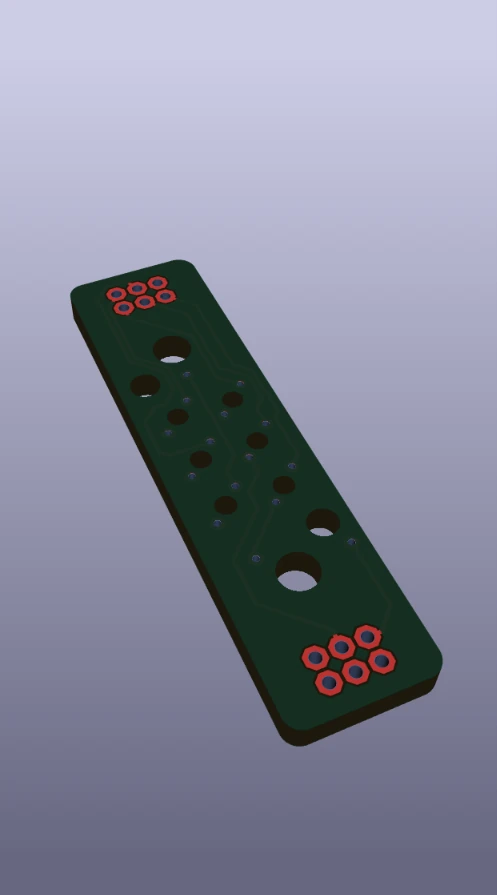
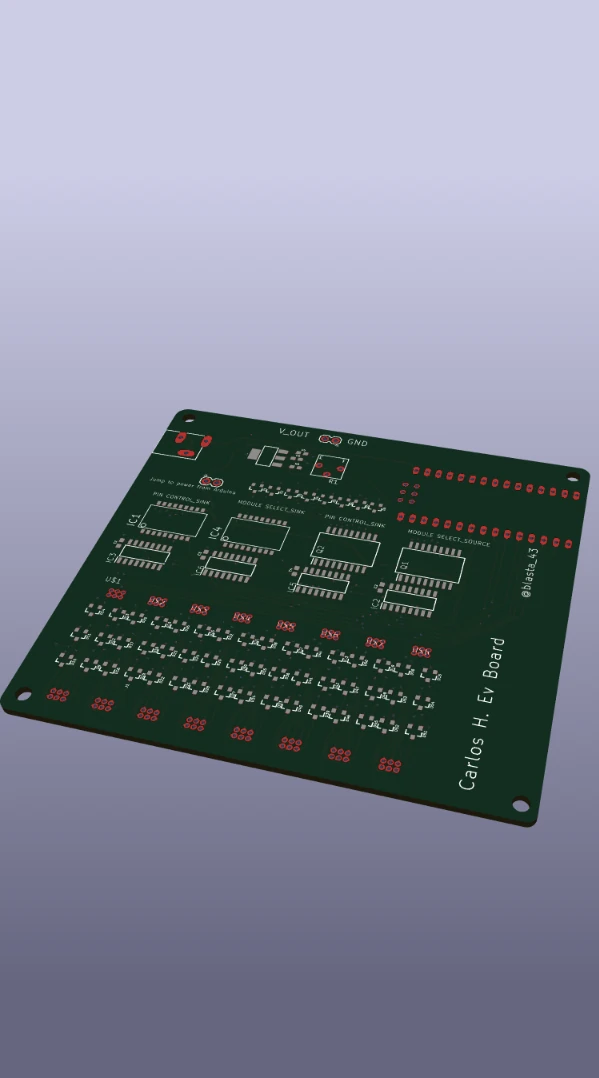
Braille cell evaluation board PCB layout
View in 3D
KiCad · PCB Design · Accessibility

Braille Cell Evaluation Board

My custom evaluation board for the Sense Cube's Braille cells, built to answer one question before anything else got designed: do my cells actually fire? The board hosts eight Braille cell sockets along the bottom edge, driven as a matrix. TBD62783 source drivers push current into the selected pin while TD62083 Darlington sinks pull the return, and three 74HC238 decoders (module select and pin control) pick exactly which cell and which of its six dots is active. The matrix collapses 48 solenoid pins down to a handful of Arduino lines: jumper the board to Arduino power, step through every dot on every cell, and watch which ones actuate. Schematic, custom cell socket footprints, layout, and routing all done in KiCad.

KiCad Matrix Driving Darlington Arrays Decoder Logic Accessibility
Click to spin in 3D
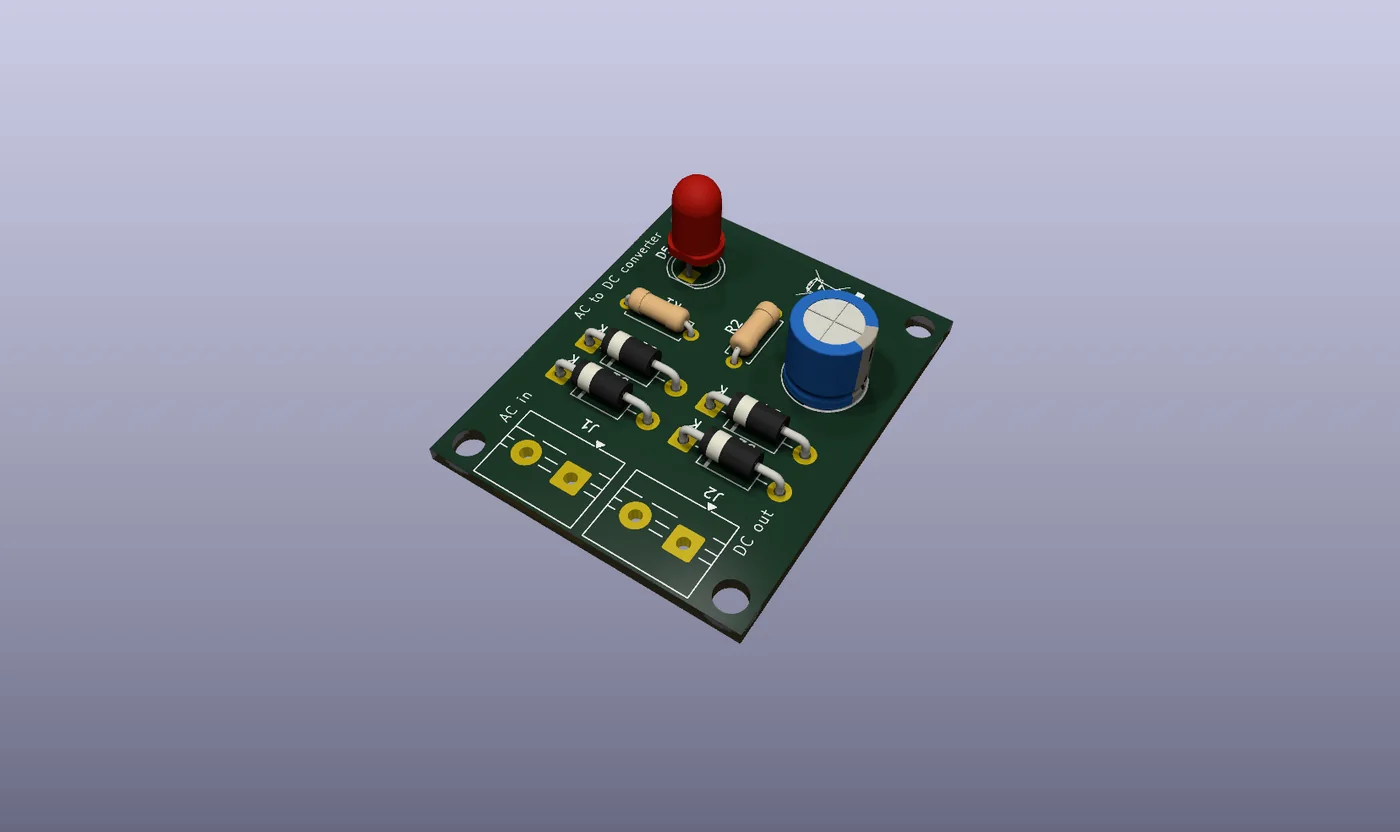
AC to DC converter PCB
View in 3D
KiCad · PCB Design

AC-DC Converter PCB

My first board designed end to end in KiCad: schematic capture, ERC, footprint assignment, layout, and routing. It converts AC at the input screw terminal into smooth DC at the output. Four 1N4007 diodes form a full-wave bridge rectifier, a 1000 µF electrolytic smooths the rectified ripple into a steady rail, and a 10 kΩ bleeder resistor safely discharges the cap when power is removed so the output terminals are never left holding a charge. A 2.2 kΩ resistor and an indicator LED give instant visual confirmation that the rail is live. Screw terminals on both ends make it a drop-in brick for bench projects that start from a wall transformer.

KiCad Bridge Rectifier Power Electronics PCB Layout
Tap to view
Active
Aerospace · Telemetry

Telemetry Ground Station

A real-time flight data system built for the Sun City Rocket Team. The ground station decodes live telemetry from the rocket's onboard data acquisition unit and renders the data as it streams down — pressure transducers (4–20 mA loop, conditioned through a precision shunt and op-amp front end), K-type thermocouples for combustion-chamber and motor-skin temperatures, plus inertial sensors for apogee and roll rate. The DAQ runs on an Arduino Mega with a custom shield that handles signal conditioning, ADC scaling, and packet framing before transmission, so the ground station receives clean, calibrated values rather than raw counts. On the ground side, packets are parsed and rendered into engineer-readable plots as the rocket flies, which means problems in the propulsion or recovery systems can be diagnosed in flight rather than after recovery. The system carried the team through 2nd place at IREC 2025 and 1st place at Lone Star Cup 2025, where reliable telemetry was the difference between a guess and a known apogee.

Arduino Mega Telemetry 4-20mA DAQ
Tap to view
1st · $4K Won
Embedded Systems · Accessibility

The Sense Cube

A wireless handheld device that turns the messages on a phone into something blind and visually impaired users can read by touch. The Cube pairs to the user's phone over Bluetooth, intercepts incoming SMS / app notifications, and drives six high-precision solenoid pins arranged in a standard Braille cell — firing them in real time so messages arrive as physical patterns on the user's fingertip instead of on a screen they cannot see. The device is sized to be carried like a thick deck of cards: pocketable, palm-friendly, and self-contained. Inside, a small Li-ion pack feeds a custom driver board that times the solenoid pulses tightly so each character is unambiguous, and the firmware buffers incoming text so faster-than-readable bursts get queued instead of dropped. The Sense Cube swept its competition cycle: 1st place at Miner Pitch ($3K), 1st at Pioneers 21 ($2K), and 2nd at Miner Tank — the latter notable for being the first bilingual pitch in the competition's history. Prize funding is going into higher-precision solenoids, a refined Bluetooth stack, and a smaller PCB respin that brings the whole device closer to a shippable form factor.

Arduino Bluetooth Solenoids 3D Printing
Tap to view
Complete
Accessibility · Embedded

Smart Navigation Cane

A navigation cane built for blind and visually impaired users that turns Google Maps directions into something the hand can feel. The cane pairs to the user's phone and pulls live turn-by-turn instructions from the Maps Directions API. Three small servos sit in the handle — one nudges the wrist when the next instruction is "left," another for "right," and the third holds steady for "straight ahead." A short, distinct pulse pattern is used for each cue so the user learns the language of the cane within the first few minutes of use. Mounted at the lower end is an ultrasonic distance sensor that constantly sweeps the path in front of the user; when an obstacle enters a configurable threshold (typically about 1.5 meters), the cane vibrates with increasing intensity the closer the obstacle gets — giving the user a "depth feel" of what's in front of them. The whole system runs off a small Li-ion pack and a microcontroller in the handle, with the firmware buffering directions so a brief loss of phone signal doesn't break navigation. The project was scoped end-to-end: hardware enclosure, sensor calibration, servo timing, Bluetooth handshake, mobile-side API plumbing, and a real user test on a planned route around campus.

Google Maps API Servos Ultrasonic Accessibility
Tap to view
Complete
Robotics · Combat

Battle Bot

A combat robot built from the chassis up — drivetrain, weapon system, electronics, and control software. The robot runs on an Arduino-based control board that decodes motor commands sent from a custom Android app over Bluetooth. The app was built from scratch in MIT App Inventor: a virtual joystick maps thumb position into differential-drive commands, with separate trigger buttons for the weapon motor and a "neutral" panic kill so the bot can be brought to a hard stop instantly. Inside the chassis, every connection is hand-soldered — high-current motor leads run through screw terminals on the H-bridge driver, signal wires are sleeved away from EMI sources, and the battery sits on shock foam to survive the inevitable hits. Competing live taught a lot about robustness that you can't learn in simulation: connectors that look fine on the bench fail under impact, software needs to fail safely (a dropped Bluetooth packet should default the motors to off, never to last command), and a clean weight budget matters more than any clever feature. The project was the team's first introduction to integrating mobile, embedded, and mechanical layers under match conditions.

Arduino Bluetooth MIT App Inventor Soldering
Tap to view
Complete
3D Design · Prop Build

Iron Man Helmet

A wearable, screen-accurate Iron Man helmet — modeled, 3D printed, wired, and assembled from scratch. The whole helmet was designed in Fusion 360, with the faceplate split from the skull along the same seam line used in the films so the visor can pivot up and out of the way on command. A pair of metal-gear servos drives the visor through a four-bar linkage tuned in CAD before any plastic was printed, which kept the prototype iteration count down. Inside the eye sockets are two small LCD panels that boot to a stylized HUD on power-up — the panels mount on 3D-printed brackets aligned with the wearer's line of sight so the eyes don't lose registration when the visor closes. The microcontroller in the chin runs the visor sequence, the LCD power-up, and a tiny soft-start curve so the servos don't slam open or shut. Every part of the helmet was printed in segments, sanded, primed, and painted in the classic gold-and-red two-tone, with magnets embedded at the visor seam so the closed position holds firmly without relying on the servos to keep torque. The full build was an exercise in product-style engineering: tolerances, alignment, fit, and the small details that make a costume read as built instead of assembled.

Fusion 360 3D Printing Servos LCD
Tap to view
Complete
Digital Logic

4-Bit Transistor Calculator

A working 4-bit calculator built entirely out of discrete bipolar junction transistors — no microcontrollers, no logic ICs, no shortcuts. Every gate is constructed from BJTs and resistors at the transistor level: NAND first, then everything else (NOT, AND, OR, XOR) derived from NANDs, just like in a CMOS process flow. From those primitive gates the calculator builds up full adders with carry-in and carry-out, chained four wide to handle a 4-bit add/subtract operation. The output stage is a custom transistor-driven 7-segment display decoder — again, no decoder IC — so each segment lights from a small logic tree of its own. The entire circuit lives on hand-wired perfboard, which made debugging a real lesson: with this many transistors, a single cold solder joint can take an hour to find, and a misread current path can bake a transistor in seconds. The project's whole point was understanding what's actually happening one layer below the chips most engineers reach for — and after 200+ transistors of point-to-point wiring, addition stops feeling like an instruction and starts feeling like physics.

Discrete Logic BJTs Circuit Design
Tap to view
Complete
Digital Logic

Counter Timer Circuit

A three-digit (000–999) counter/timer driven entirely by discrete logic — no microcontroller in the loop. The clock is generated by a pair of NAND gates wired as a relaxation oscillator, with a 100 nF capacitor and 1 kΩ resistor setting the time constant; the resulting square wave runs at roughly 3.5 kHz, which is fast enough to update the display smoothly while still being slow enough to scope and debug. The user controls are four panel switches: UP selects the count direction toward 999, DOWN reverses toward 000, RESET drops the count back to zero on the rising edge, and PAUSE gates the clock off without losing the current count. Because the counter is built from 4-bit hex counter blocks, the design has to actively skip the A–F states so each digit only displays 0–9; that's done with a network of 7 AND gates that detects "10" and forces a load-zero plus a carry pulse to the next digit. Between digits, two NPN BJTs sit as small signal boosters so the carry pulses arrive cleanly even with the high node count of the full circuit. Routing is dense enough that the LTspice/Multisim simulator visibly slows down when stepping through transitions — which is part of the point: this is what real combinational logic looks like before it gets compressed into a single chip.

NAND/AND Logic RC Clock NPN Boost Carry Logic
<C> <C++> <Python> <MATLAB> <JavaScript> <HTML/CSS> <Arduino> <C> <C++> <Python> <MATLAB> <JavaScript> <HTML/CSS> <Arduino>
[Embedded Systems] [Circuit Design] [3D Modeling] [RF Engineering] [Hardware Prototyping] [Soldering] [CAD] [PCB Design] [Embedded Systems] [Circuit Design] [3D Modeling] [RF Engineering] [Hardware Prototyping] [Soldering] [CAD] [PCB Design]

Here are some of my CAD models. Drag to spin them.

Click to spin in 3D
Braille V3 cell
View in 3D
Fusion 360 · Accessibility

Braille V3 Cell

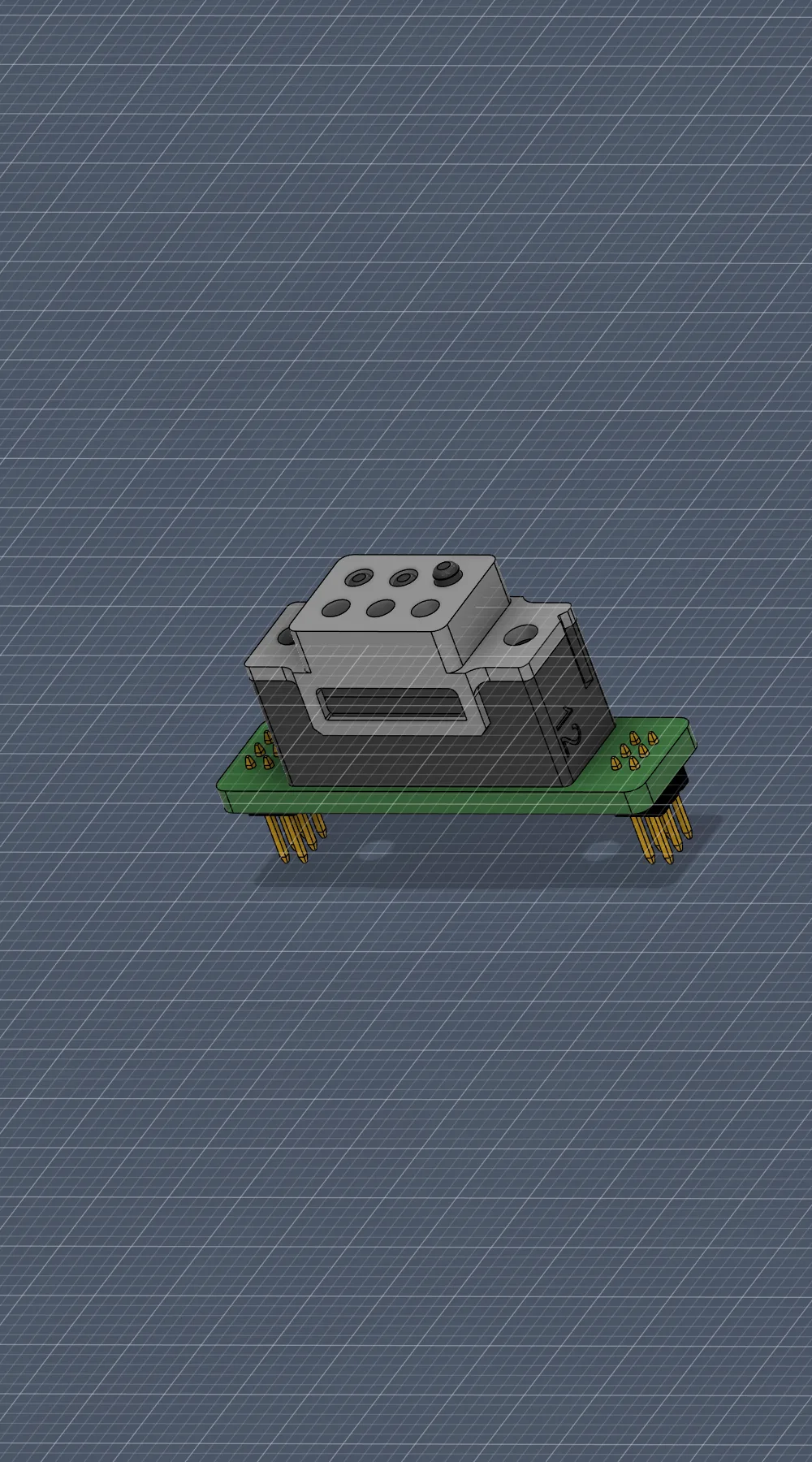
This is the six-pin Braille cell I built for the Sense Cube. The top housing holds six small solenoids in the standard Braille dot layout, and the lower piece clips onto a PCB that routes each driver line back to the controller. I'm on my third revision of this part. The newer version has tighter clearances around the pins and a lower overall stack height, which makes the dots feel cleaner under a fingertip. I print it in PLA at a 0.12 mm layer height so the top face comes out smooth enough to read without sanding.

Fusion 360 Solenoid Carrier PLA Print Accessibility
Click to spin in 3D
Flashlight prototype
View in 3D
Fusion 360 · Product Design

Flashlight Prototype

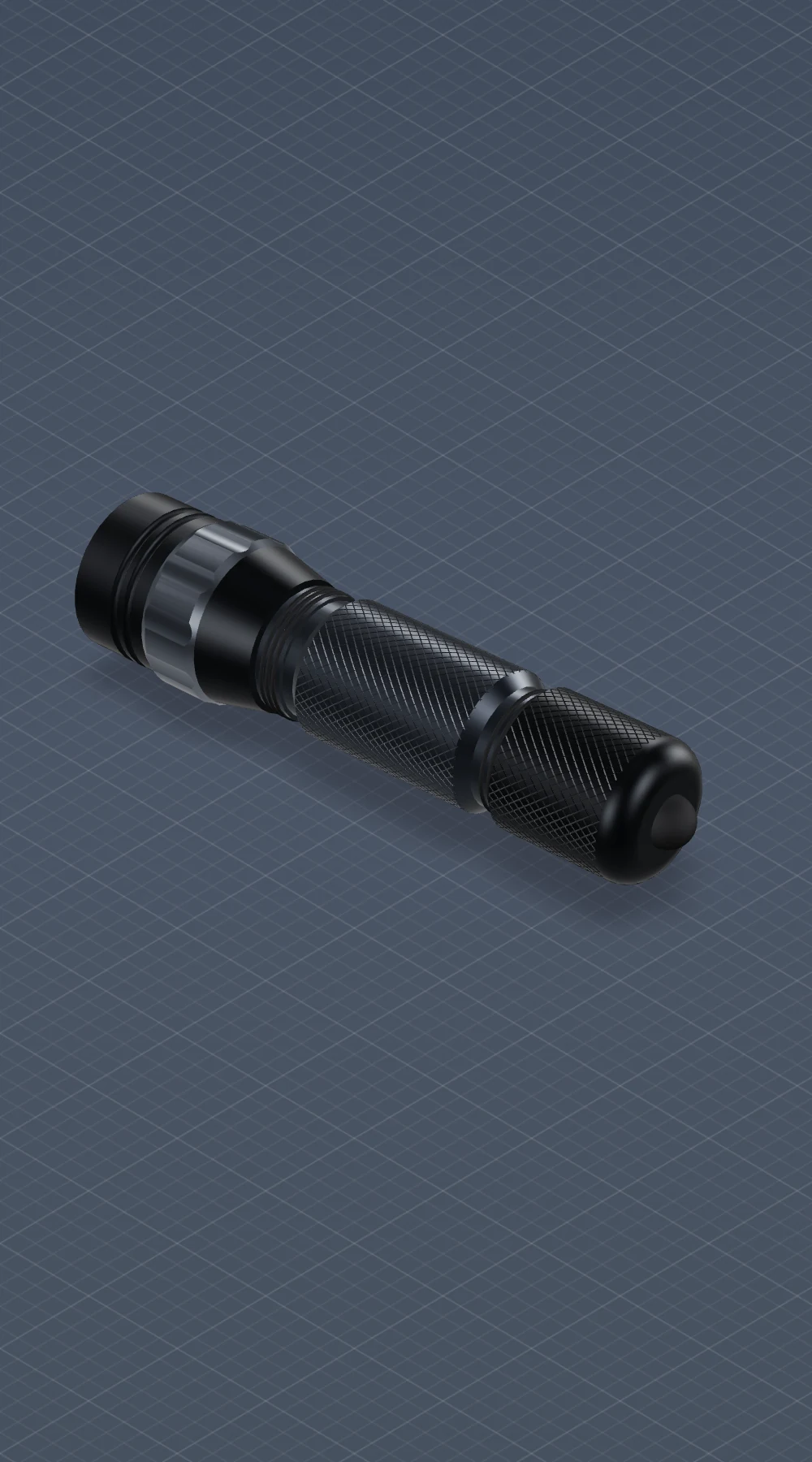
A handheld flashlight body I modeled in Fusion 360. The bezel, lens recess, knurled grip, and tail cap are separate parts with real threads, so the assembly screws together the same way an actual EDC light would. I generated the knurl pattern parametrically, which means changing the diamond density or grip size only takes one parameter and the whole grip rebuilds itself. Everything else is driven from a dimension table, so the same model can be printed, machined, or sent out for anodized aluminum without redoing any geometry.

Fusion 360 Threaded Bezel Parametric Knurl EDC
Click to spin in 3D
Coil winding tool for Braille electromagnets
View in 3D
Fusion 360 · Fabrication Tool

Coil Winding Tool

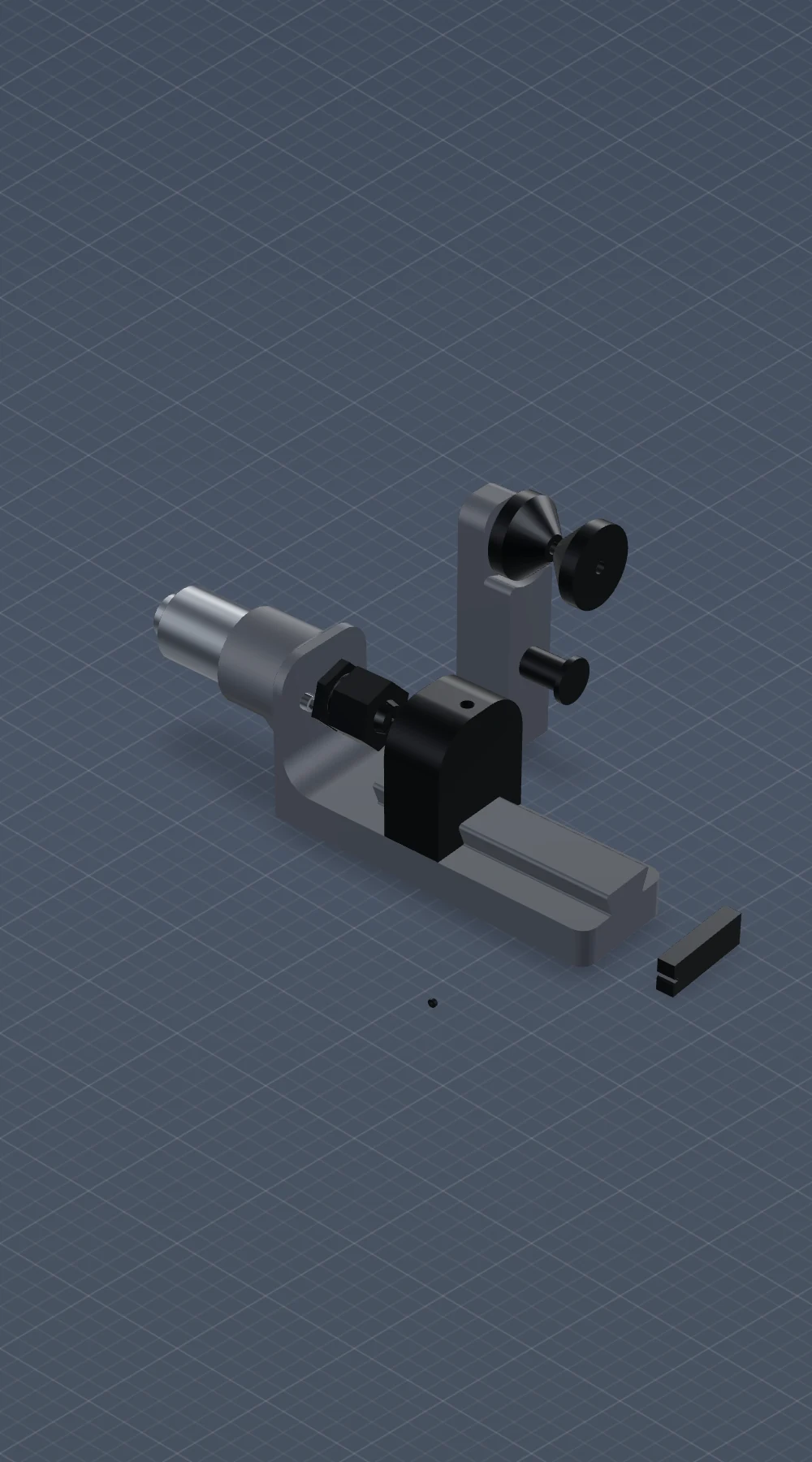
This is the fixture I built to wind the tiny electromagnets that sit behind each Braille pin. The wire is 50-micron enamel-insulated copper wrapped around a ferrite core, and winding that by hand without a guide is basically impossible to do consistently. The tool keeps the bobbin and the core in alignment while you crank the handle, so the coil comes out tensioned the same way every time. Once you have this fixture, the rest of a Braille module only needs standard assembly and soldering tools.

Fusion 360 50 µm Magnet Wire Ferrite Core Braille Modules
Click to spin in 3D
Drone flashlight bracket, segmented
View in 3D
Fusion 360 · Drone Accessory

Drone Flashlight Bracket

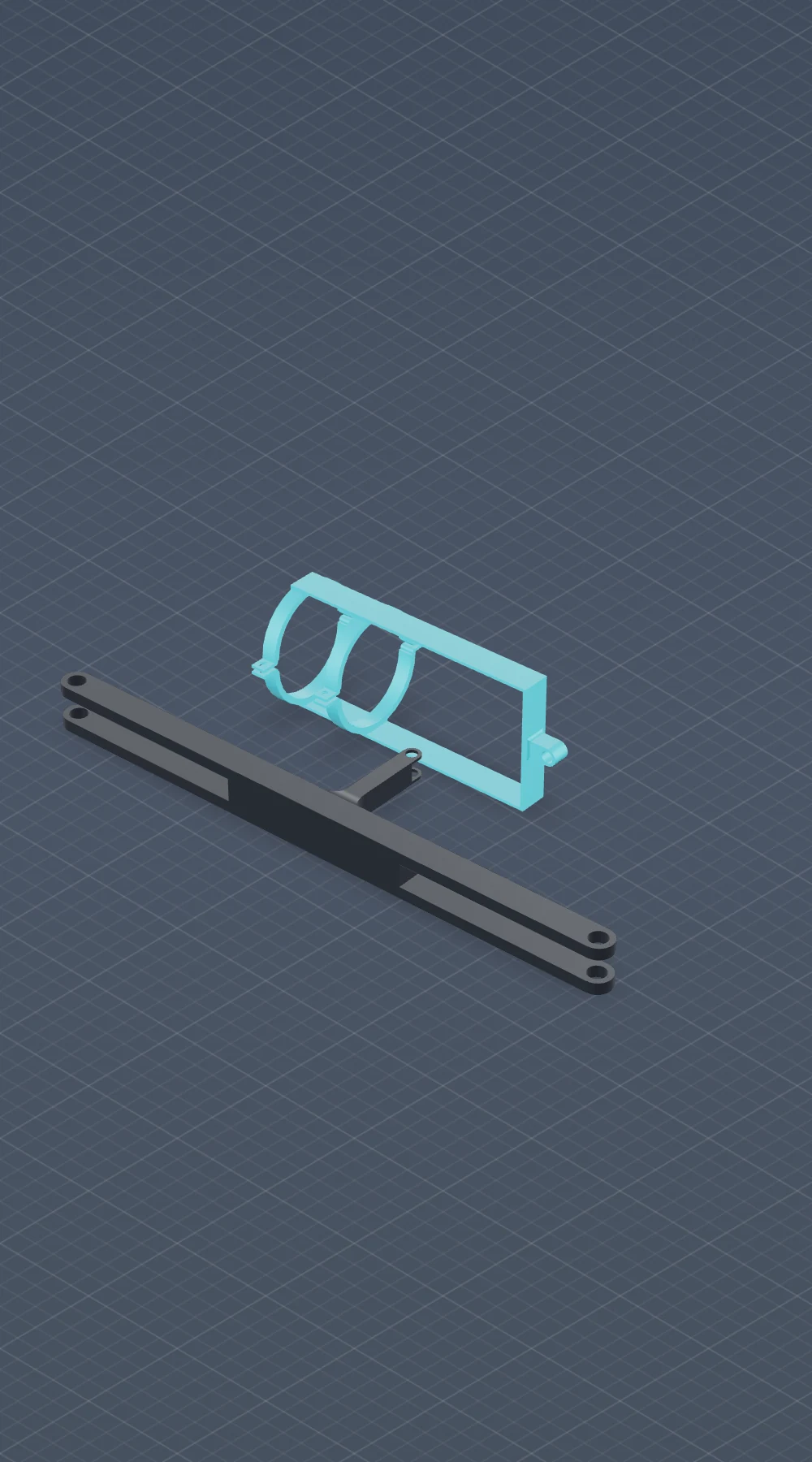
A pair of split-ring clamps tied together with two flat bars. The whole assembly locks a cylindrical flashlight between a quadcopter's propeller booms so the drone works as a low-cost aerial searchlight. I split each ring into two halved hoops so the parts print flat with no internal supports, then bolt around the light. By the time I got to v5, the wall thicknesses, bolt boss spacing, and clamp gap were tuned to grip a standard 1-inch barrel firmly without crushing it.

Fusion 360 Drone Mount Split-ring Clamp Iteration v5
Click to spin in 3D
SD card organizer
View in 3D
Fusion 360 · Desk Storage

SD Card Organizer

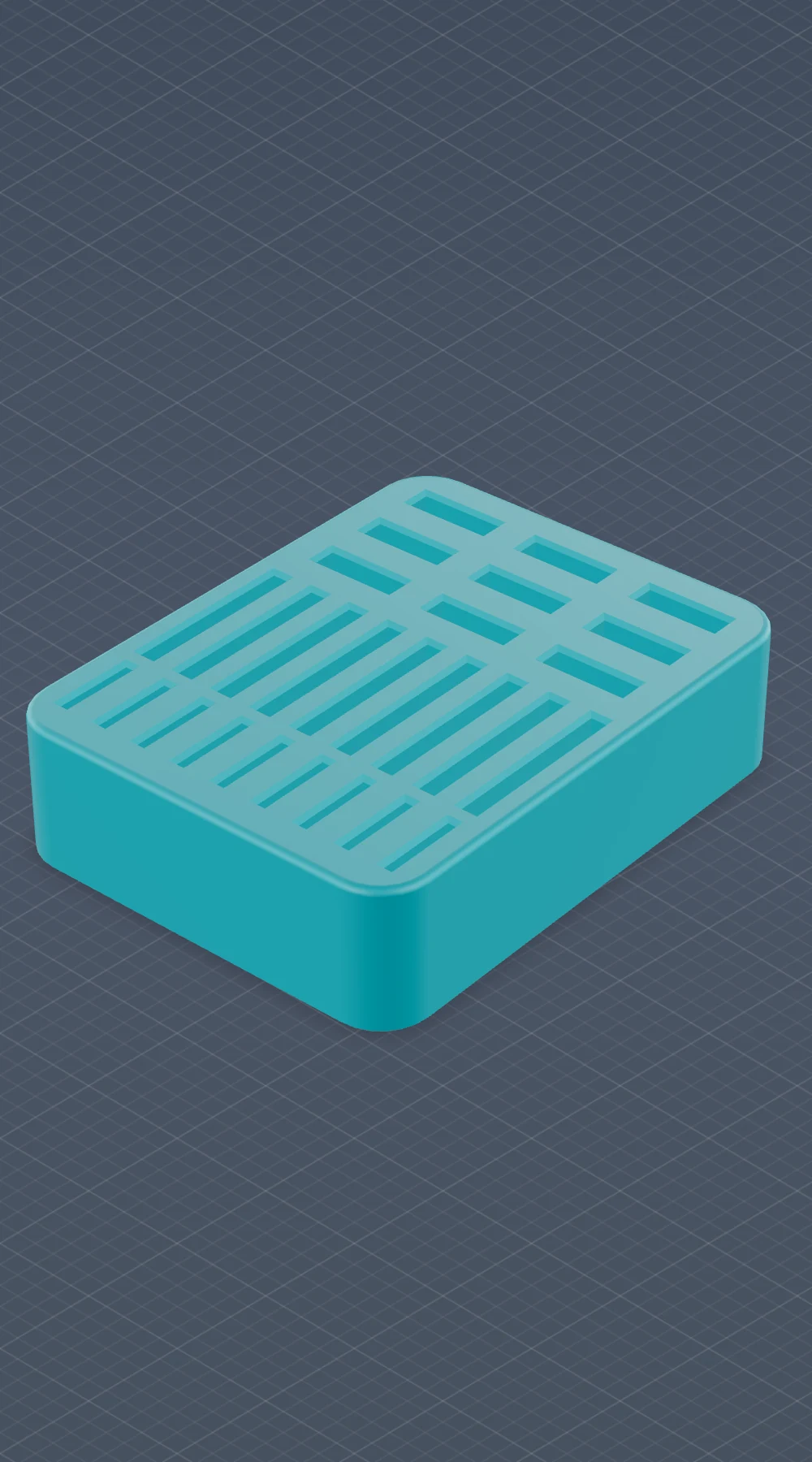
A desktop tray for SD and MicroSD cards. Each card slots in on edge so you can see at a glance which one you are grabbing, instead of digging through a stack inside a drawer. The slot widths sit at a friction fit, so the cards stay put when the tray gets bumped or tilted, but they still slide out cleanly with one finger. The whole tray fits on a 180 mm print bed without rafts, so it pops off the printer ready to use.

Fusion 360 Press-fit Slots SD / MicroSD No-support Print
Click to spin in 3D
Clip-on desk water holder
View in 3D
Fusion 360 · Everyday Carry

Clip-on Desk Water Holder

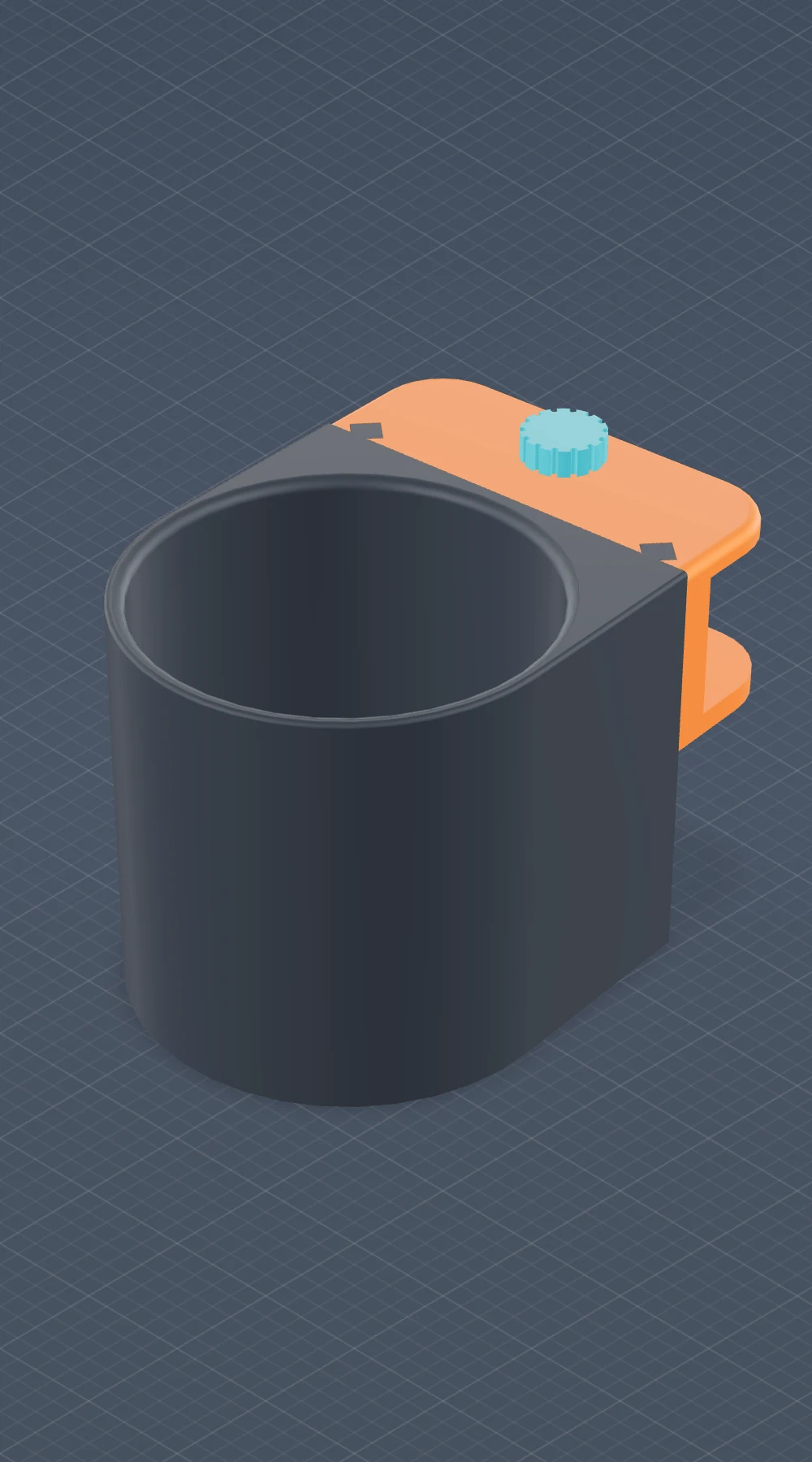
A clamp-on cup holder that mounts to the edge of any desk. I made this because I kept knocking my water bottle over with my elbow, and I wanted it close to the work area but not on it. A knurled thumb screw tightens the back jaw against the desk thickness, so there is no adhesive and no permanent install, just friction. The cradle has an open bottom so condensation drips away instead of pooling, and the diameter fits anything from a steel bottle to a regular coffee cup.

Fusion 360 Desk EDC Thumb Clamp Single-piece Print
Click to spin in 3D
Clevis bracket
View in 3D
Fusion 360 · CAD Practice

Clevis Bracket

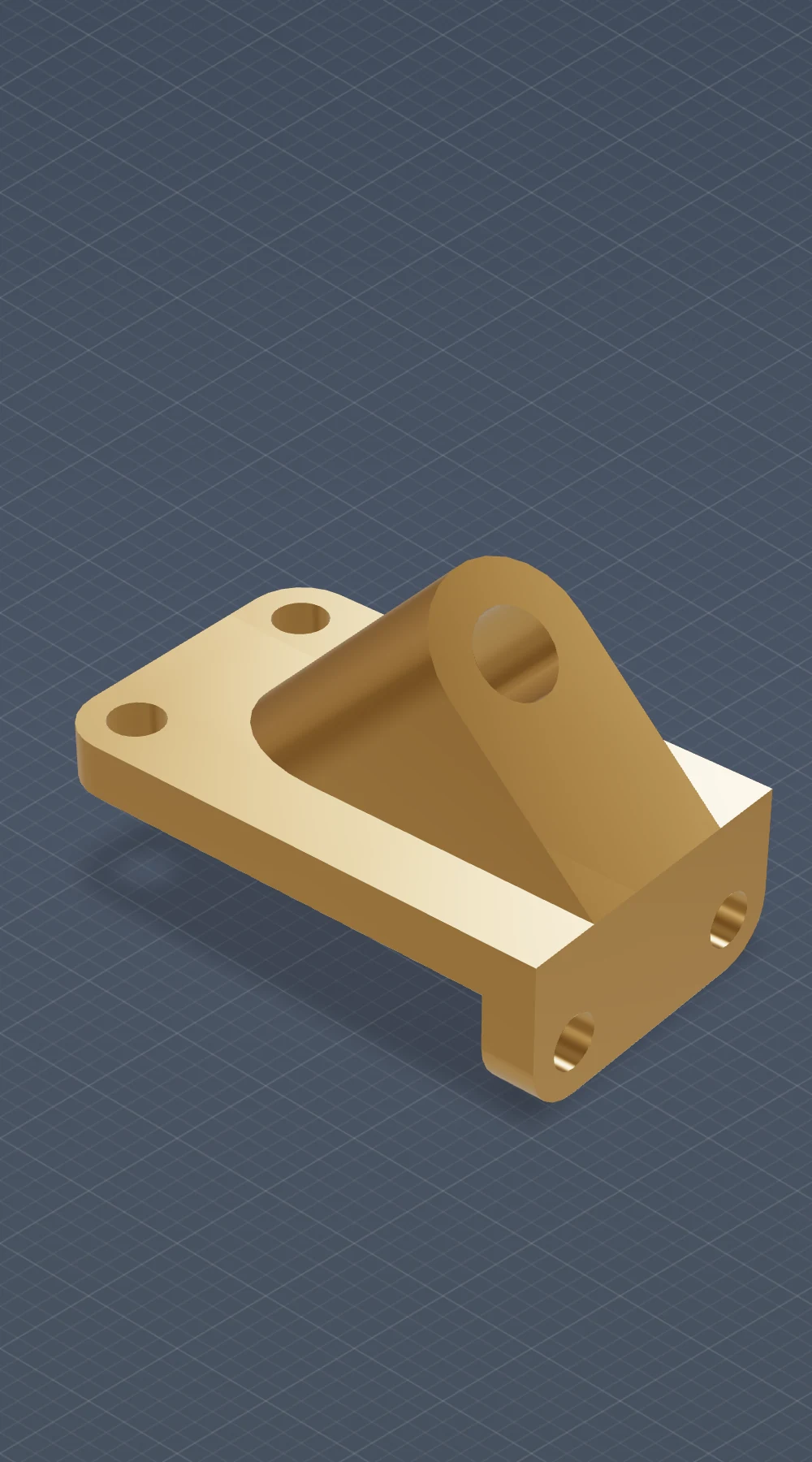
A two-piece bracket I modeled as a precision CAD exercise. The flat base plate has two through-holes for mounting, and a pivoting clevis arm locates on a single pin off to the side. The whole thing runs off one parameter table in Fusion 360, so adjusting the base plate thickness automatically updates the clevis height, the pin diameter, and the fillet radii downstream. The point of the exercise was to get tolerance stacking right and to think carefully about the order of fillets and chamfers, which is what comes up on real production bracketry.

Fusion 360 Parametric Clevis Bracket Tolerance Practice

03 // AWARDS

Awards & Recognition

BorderHack '26 1st · Wayve
Click
Miners Pitch 1st · $3,000
Click
Pioneers 21 1st · $2,000
Click
Miner Tank 2nd · Bilingual pitch
Click
Dell Tech Academy 3rd · Case competition
Click
P21 Pitch Challenge 2nd · $1,000
Click

04 // EXPERIENCE

Experience

Jun 2026 – Aug 2026
Hardware & AI Data Intern
ArcellAI, San Francisco, CA
Open-source robotics research — evaluating HW/SW frameworks for AI and data systems. Bridging ESP32 embedded systems with real-world AI applications.
Jan 2025 — Present
Ground Station Engineer
Sun City Rocket Team (UTEP) · El Paso, TX
Real-time telemetry ground station. Embedded DAQ with 4–20 mA sensors and K-type thermocouples. Team: 2nd IREC 2025, 1st Lone Star Cup.
Sep 2025 — Nov 2025
Miner Spark Researcher
University of Texas at El Paso
Edge-vision for UAVs — on-device facial verification. Lux vs. recognition accuracy for autonomous drones.
Summer 2022
Philanthropic Robotics Lead
El Paso, TX
Led 6-person team. Raised $750+, built custom electric wheelchair. Founded robotics workshop for 20+ students.
Jan 2019 — May 2024
Appliance Technician
El Paso, TX
4+ years, 100+ units. 70%+ first-visit resolution. 20–30 calls/month.

05 // SKILLS

Engineering Stack

Hardware 05 entries
Arduino Embedded Systems Circuit Design Soldering PCB Design
Software 04 entries
Python C++ MATLAB App Dev — MIT App Inventor
CAD & Fabrication 03 entries
Fusion 360 3D Printing Prototyping
Systems & Comms 02 entries
Bluetooth / Wireless Comms Data Acquisition Systems

"Effort gets you to the problem. Imagination gets you through it. Show up every day, then bend the rules nobody told you were rules."

// Carlos Hernandez

(915) 315-5708

Hello!

{
  "about_me": {
    "name": "Carlos Hernandez",
    "career-in-progress": "Electrical Engineering",
    "current-career-focus": "Embedded Systems"
  }
}